
Audio Tags
Audio Tags make AI Voiceover more dynamic, expressive, and natural. With tags, you can shape delivery, adjust pacing, guide emotion, trigger non-verbal sounds, add sound effects, and more — all directly within your script.
Audio tags let you coach voices to pause, speed up, laugh, whisper, shift tone, or express emotions ranging from sarcasm to curiosity and beyond.
How To Use Audio Tags
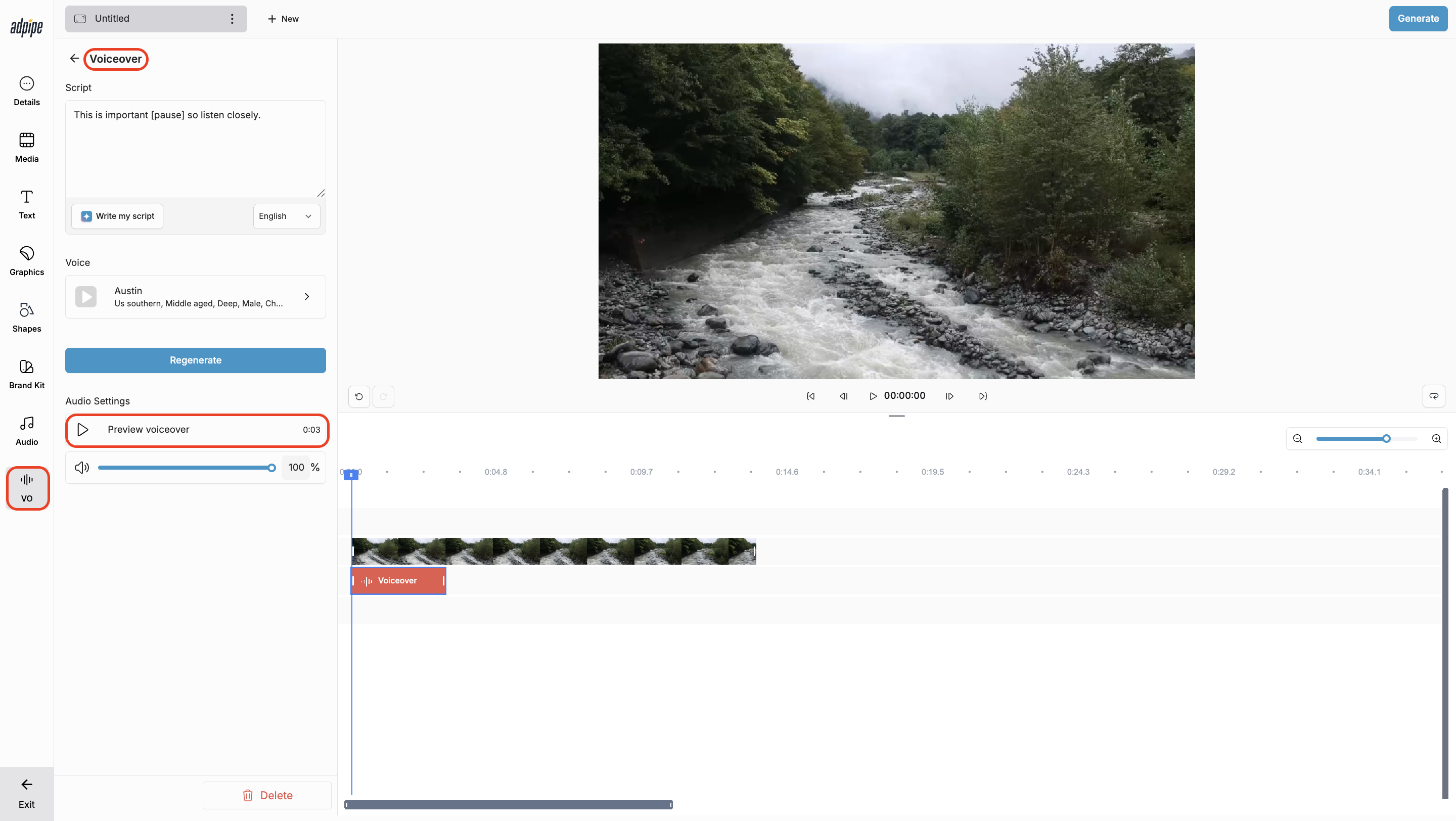
- In the editor, open Voiceover (see AI Voiceover article for setup).
- Type or paste your script.
- Add tags directly inside your text to guide delivery.
- Example: “This is important [pause] so listen closely.”
- Preview to hear how the tag changes narration.
- Generate your audio — the narration with tags will appear on your timeline automatically.
Best Practices & Tips
Match Tags to Voice Styles
Some tags work better with certain voices. For example, a soft or whispery voice may not shout with a [shout] tag, and a professional narrator may not respond to emotional tags like [annoyed]. Choose a voice that aligns with your intended performance.
You’re Not Limited to the Listed Tags
Voiceover AI will attempt to interpret and implement most directives, emotional cues, and non-verbal instructions even if they aren’t exact matches. Experiment — it’s surprisingly fun and flexible.
Jump to a Section
- Voice Coaching
- Controlling Timing, Pacing & Presence
- Non-Verbal Cues
- Sound Effects
- Experimental Tags
-
Punctuation
Voice Coaching
- Use these tags to guide tonality, emotion, and character in your narration:
[happy] [sad] [excited] [angry] [annoyed] [appalled] [thoughtful] [surprised] [whispers] [sarcastic] [curious] [mischievously] [crying] [shout]
- These help shape the delivery to match mood, style, or storytelling needs.
Controlling Timing, Pacing & Presence
These tags mimic natural speech patterns and help you shape timing:
Pauses & breaks:
[short pause] [long pause] [breathes] [continues after a beat]
Speed cues:
[rushed] [slows down] [deliberate] [rapid-fire]
Hesitation & rhythm:
[stammers] [drawn out] [repeats] [timidly]
Emphasis:
[emphasized] [stress on next word] [understated]
Example:
[drawn out] Sooooo... you're saying... [suspicious tone] you didn't eat that??
These tags give you detailed control over the motion of the voice.
Non-Verbal Cues
- Coaches the speaker to add human-like non-verbal sounds:
[laughing] [laughs harder] [chuckles] [sighs] [clears throat] [exhales sharply] [inhales deeply] [snorts] [wheezing] [gulps] [swallows]
- Example:
[appalled] Are you serious? [sighs] I can't believe you did that!
Sound Effects
- These tags add sound effects that supplement the voice:
[gunshot] [applause] [clapping] [explosion] [finger snap]
- Example:
It's incredible, magical, and as easy as that [finger snap] [applause]
Like emotional tags, sound effects can sometimes interpret similar directions even beyond this list.
Experimental Tags
- These tags can add creativity or character but may behave inconsistently across voices:
[sings] [hums] [woo] [strong * accent]
(replace * with your desired accent)
- Example:
[strong French accent] "Zat's life, my friend — you can't control everysing."
- Use these sparingly and test before final production.
Punctuation
Punctuation shapes how a voice reads your script:
- Ellipses (…) add weight or hesitation
- Capitalization increases emphasis
- Standard punctuation guides rhythm and natural breaks
- Example:
"It was a VERY long day [sigh] … nobody listens anymore."
What You Can Do with Audio Tags
Add Emphasis
Use pauses, tone shifts, or stress tags to highlight moments that matter.
Switch Styles Mid-Sentence
Shift emotion, energy, or delivery instantly — perfect for storytelling or humor.
Control Dynamics
Guide pacing, add breaths or laughs, introduce sound effects, and shape narration without recording multiple takes.
FAQs
Do I need special formatting to use tags?
No — just place tags inside brackets directly in your script.
Can I combine multiple tags in a single script?
Absolutely. You can mix pacing, emotion, and non-verbal cues for highly customized delivery.
Will tags affect the flow of my video timeline?
No. Tags only affect audio delivery. Your video timing stays the same.