
AI Voiceover
AI Voiceover lets you instantly add professional-quality narration to your videos—no mic, studio, or recording setup required. Just type or paste your script, choose a voice, and bring your story to life directly on your timeline.
How To Use AI Voiceover
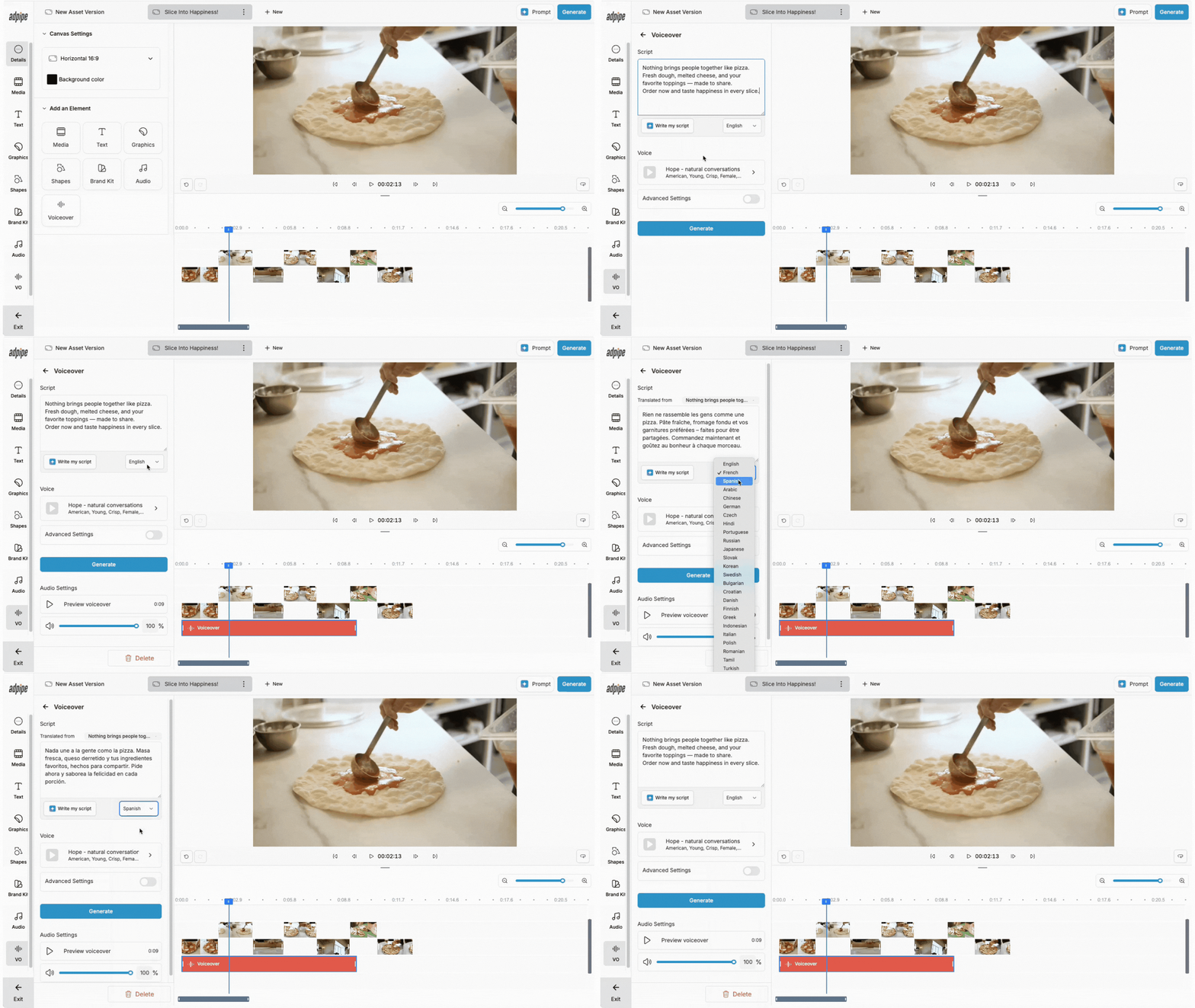
- In the editor, click Voiceover.
- Type, paste, or use AI Scriptwriter to generate your script into the field.
- Preview the available voices and select the one that best matches your style.
- Press Generate and the voiceover will automatically appear on your timeline.
-
Play it back, make edits if needed, and continue building your video.
What You can Do with AI Voiceover
Simplify Production
Skip the mic setup and studio time—go from script to polished narration in seconds.
Version with Ease
Test multiple intros, CTAs, or variations quickly without extra recording sessions.
Localize & Personalize
Create custom versions by region or audience, making your videos feel more direct and relevant.
FAQs
Can I edit the script after generating the voiceover?
Yes. You can adjust your script and regenerate a new voiceover anytime.
What kind of voices are available?
You can preview a range of AI-generated voices with different dialects and tones. Simply preview and select the one that best matches your needs.
Do I need extra software or equipment?
Nope. Everything happens right inside AdPipe. No mic, studio, or external tools required.
Can I create multiple versions of the same video?
Absolutely. AI Voiceover makes it easy to version and A/B test your content for different audiences or platforms.